Using pgAdmin
Requêtes SQL
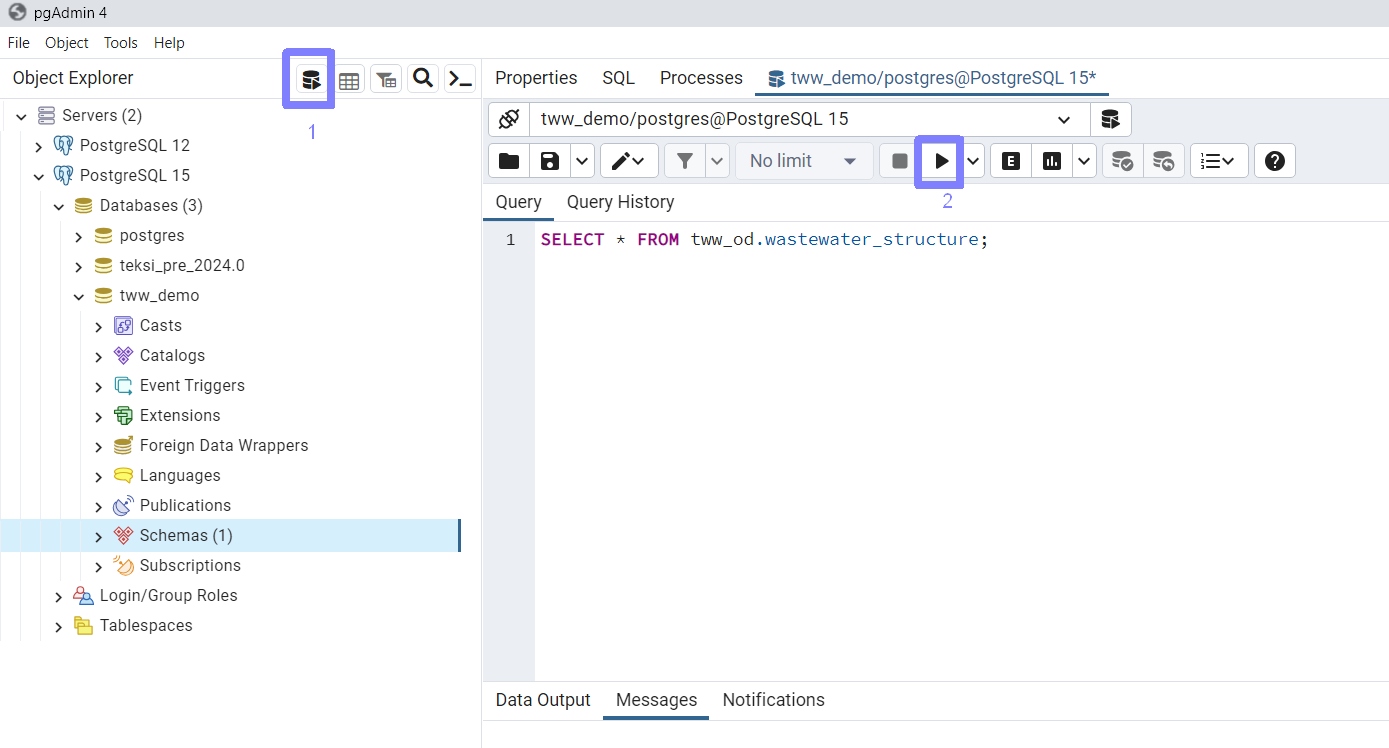
Running SQL commands in pgAdmin4
Note
En cliquant sur l’icône mis en évidence par le point 1 vous pouvez ouvrir une requête SQL. L’icône SQL n’est actif que lorsque vous êtes connecté à une base de données.
Un clic sur l’icône mise en évidence au point 2 lance les requêtes SQL.
« Dump » de la base de données
Note
Open pgAdmin4 and connect to the database
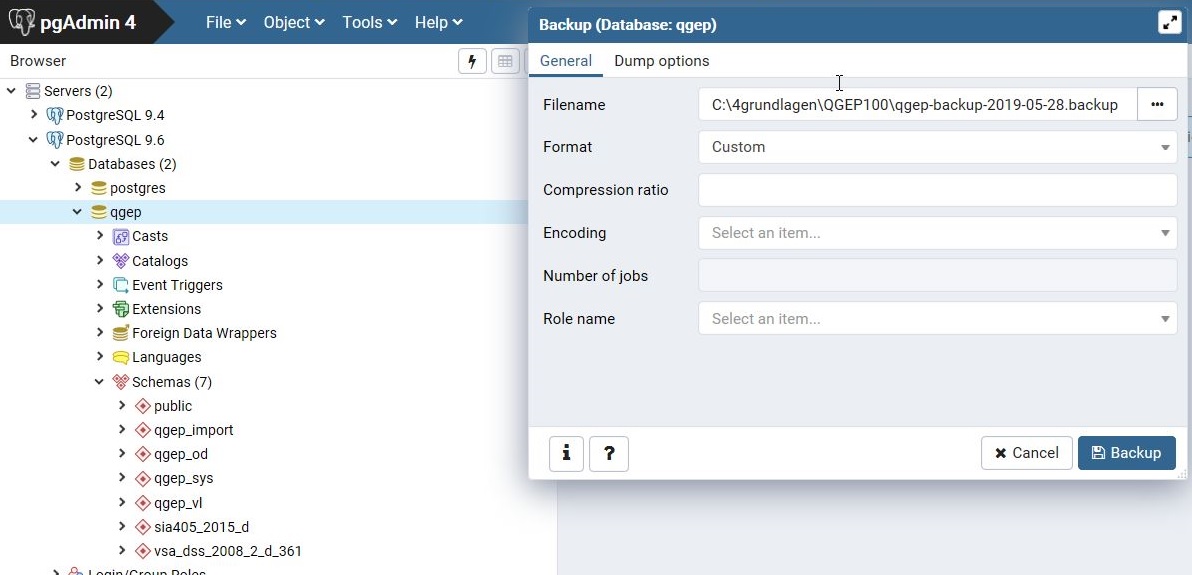
Faire un clic droit sur le schéma (dans l’arborescence sous « Schemas ») que l’on veut sauvegarder
Entrer l’endroit ou le fichier devra être sauvegardé
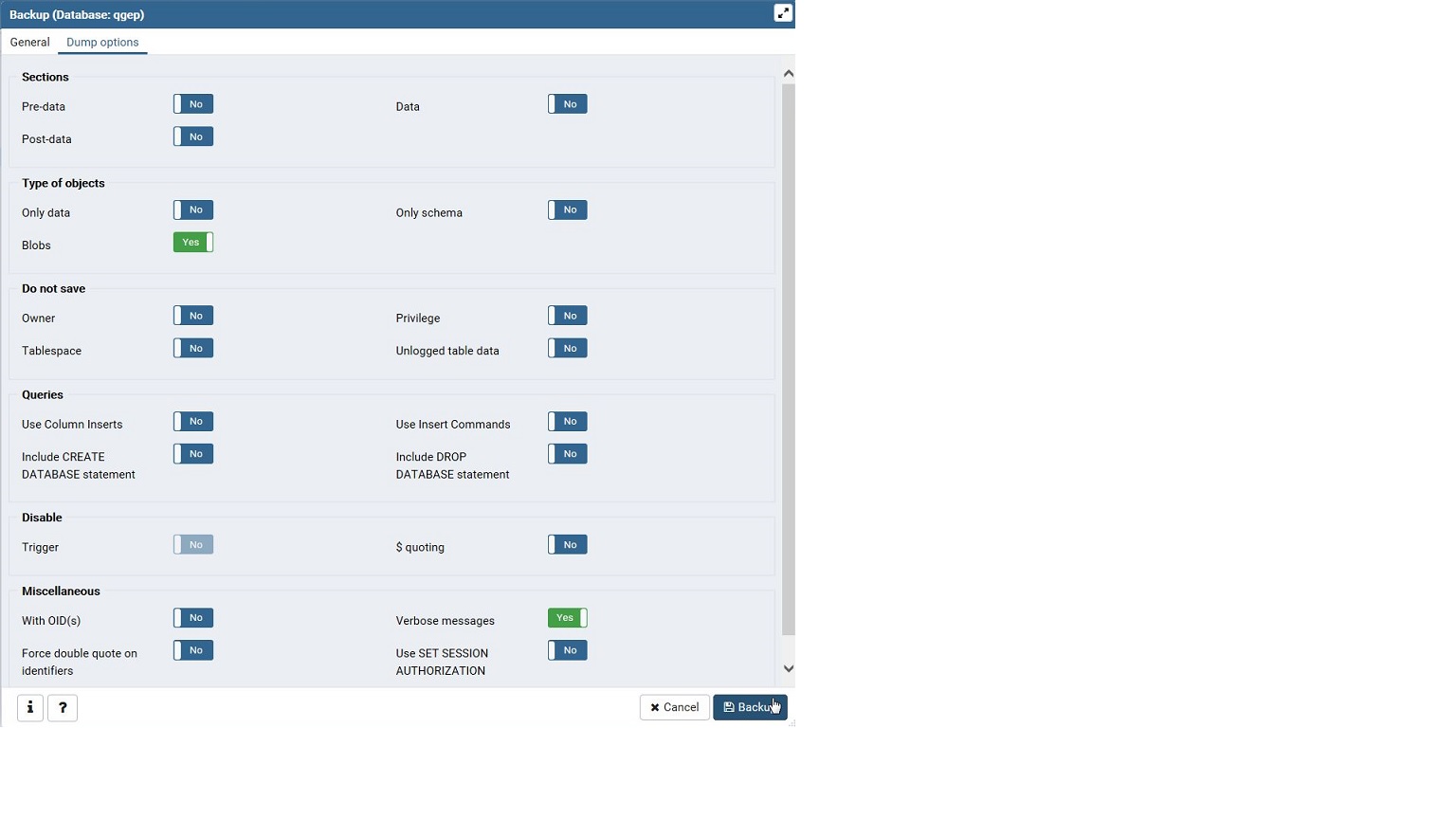
Click the option-tab and check the following options
Note
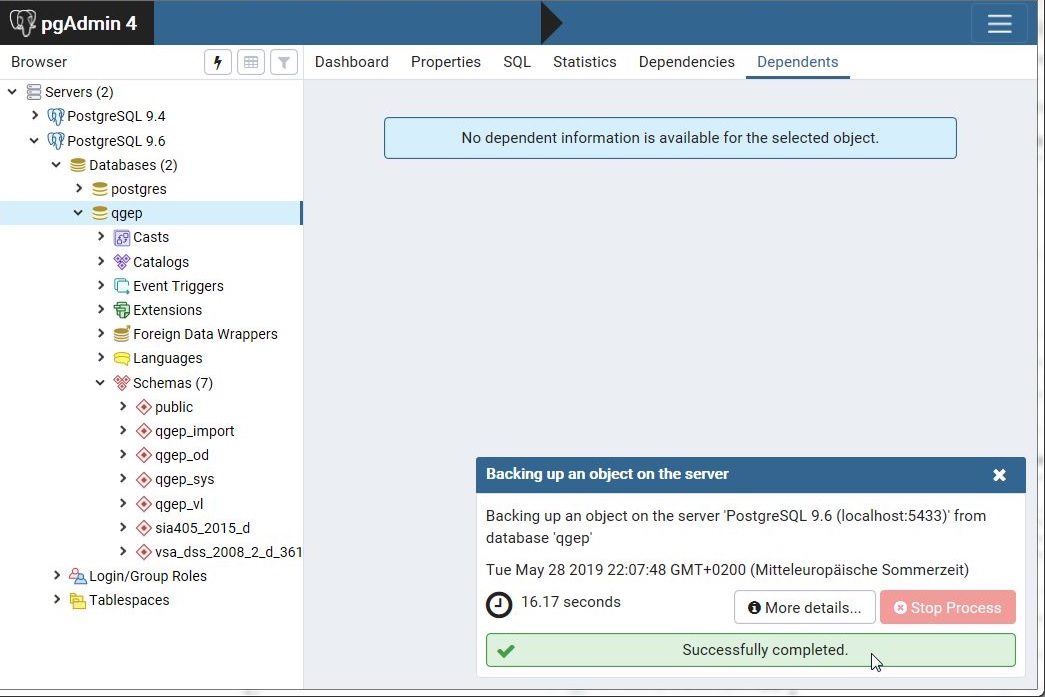
After running the process, the window in the right bottom shows that everything went ok